
Appraisal orders created and placed on the new UAD 3.6 form require the report deliveries to be made using a ZIP file. This guide explains how to deliver the UAD 3.6 appraisal through uploading a ZIP file.
Deliver the UAD 3.6 Report
Delivering the UAD 3.6 report follows the same method as UAD 2.6 (the current version), via Deliver Report. 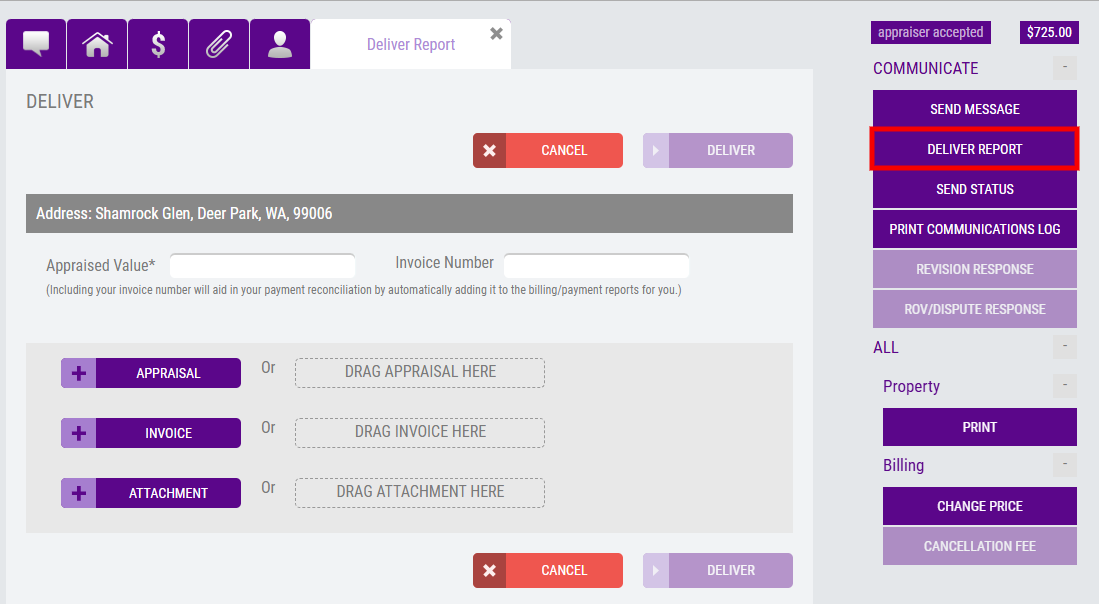
The delivery screen will look like the current version, however, when appraisers attempt to deliver the XML version of the report, they will encounter the File Attachment Error. 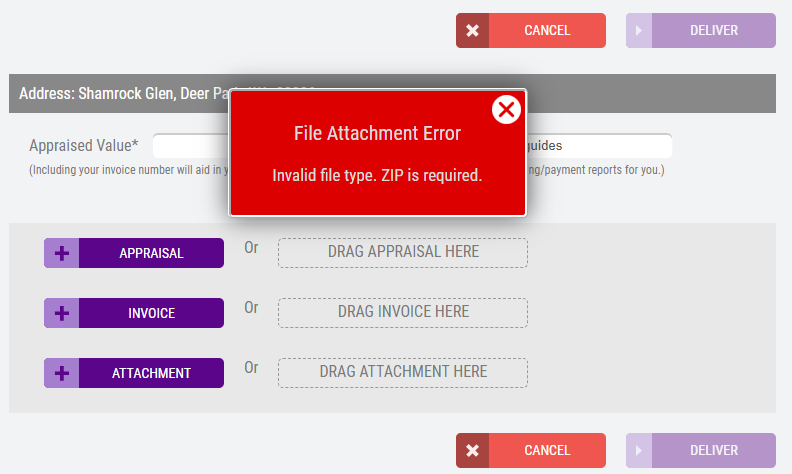
When the appraiser uploads the required ZIP file, note the file name should end with .zip. Choose Deliver to submit the report.
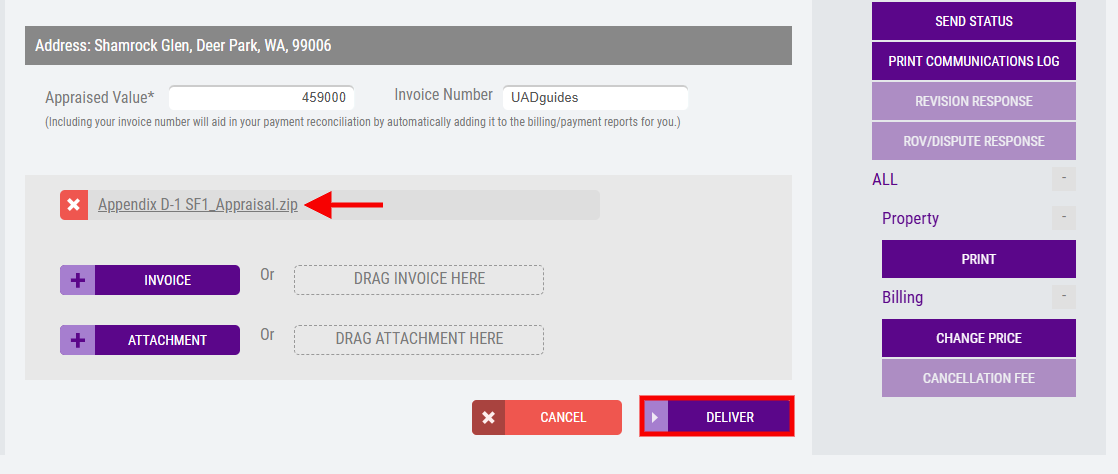
Appraisers must include the XML and PDF version of the report within their ZIP file. Appraisal Firewall's technology will automatically extract the XML and PDF versions of the appraisal report. The report is successfully delivered when appraisers are directed to the Communications Log. NOTE: UAD 3.6 will reflect three different line items: ZIP file, XML, and PDF. 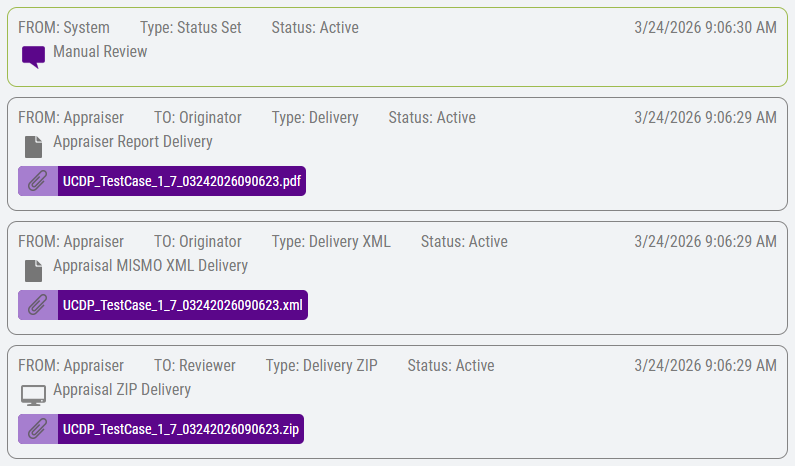 Any post-delivery processes (Manual Review, etc.) will continue to function as they do for UAD 2.6.
For more information on how to deliver reports for the current/legacy UAD 2.6 orders, refer to the Delivering an Appraisal Report guide.