
Accepting UAD 3.6 order forms follows the same process as the current version (UAD 2.6). This guide explains how to accept the new UAD 3.6 form.
Content Includes:
Orders Dashboard
UAD 3.6 orders can be found within the appraisal dashboard. New UAD 3.6 orders will continue to be routed to the New Orders tab of the Orders Dashboard. 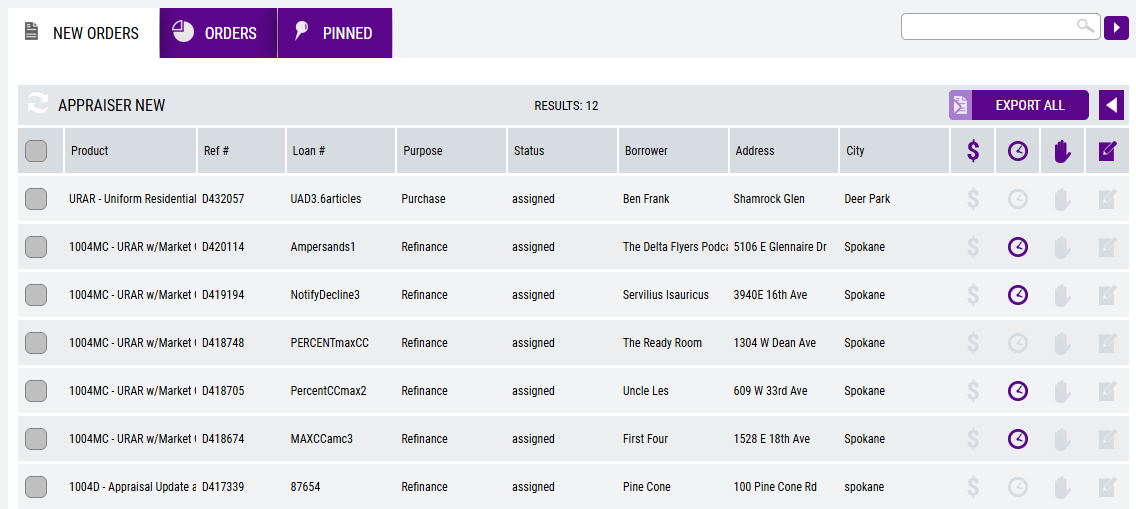
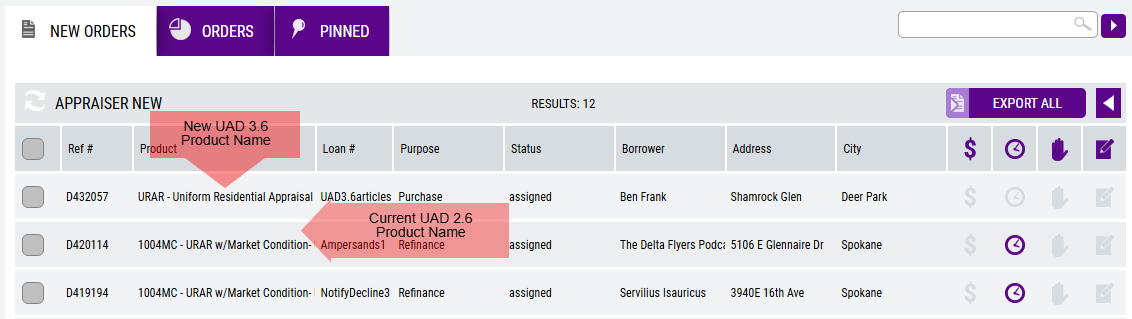
To differentiate the new UAD 3.6 forms with the current/legacy forms (UAD 2.6), apply the Product column via the column customizer.
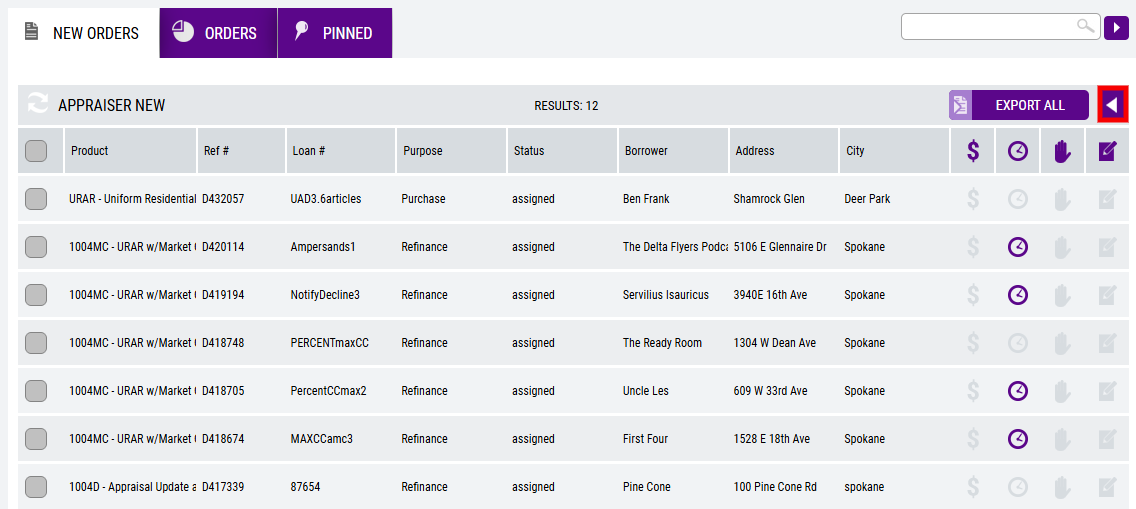
From the Available Fields list, drag Product over to the Current Fields list. Sort the options as necessary by moving tiles up or down.
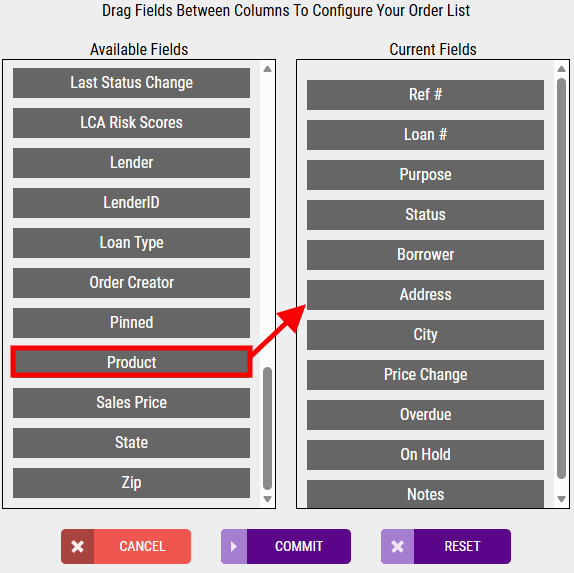
Once the Current Fields list has been configured appropriately, select Commit to apply the changes.
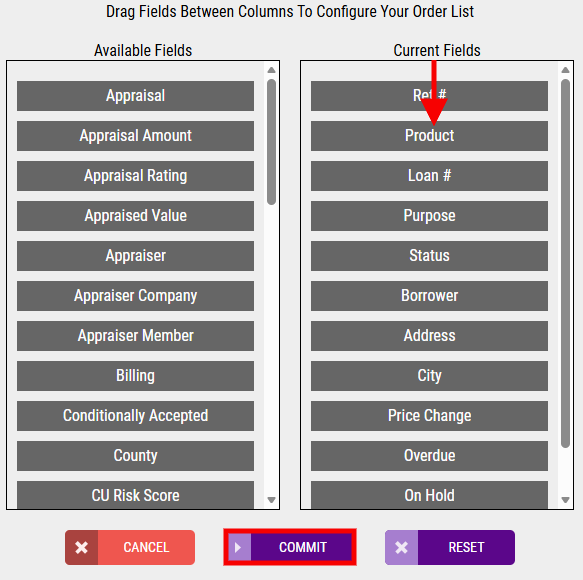
Upon return to the New Orders tab, note the Product name differences as shown below, ex. URAR - Uniform Residential Appraisal Report (UAD 3.6) vs. 1004MC - URAR w/ Market Condition - Uniform Residential Appraisal Report.
Select the UAD 3.6 order to Accept, Accept with Conditions (only available when the lender allows Conditional acceptance), or Decline the order. NOTE: UAD 3.6 orders will have the new/updated fields present within the Property Information.
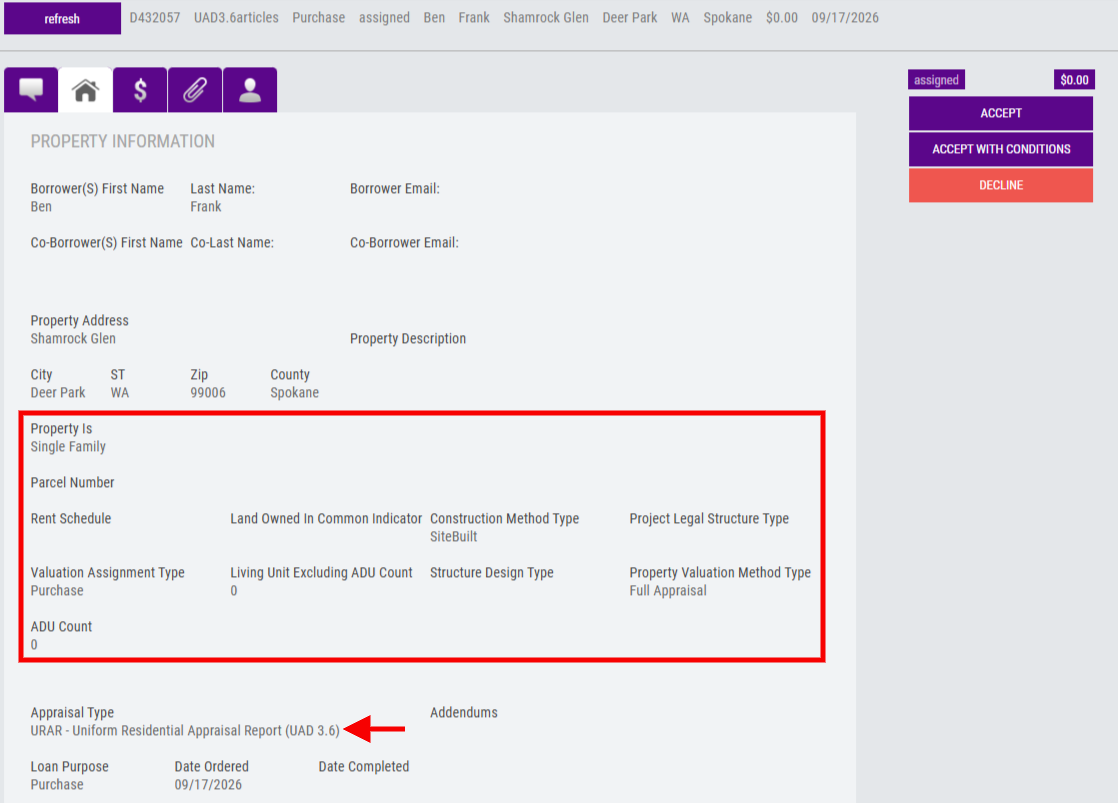
Accept UAD 3.6 Orders
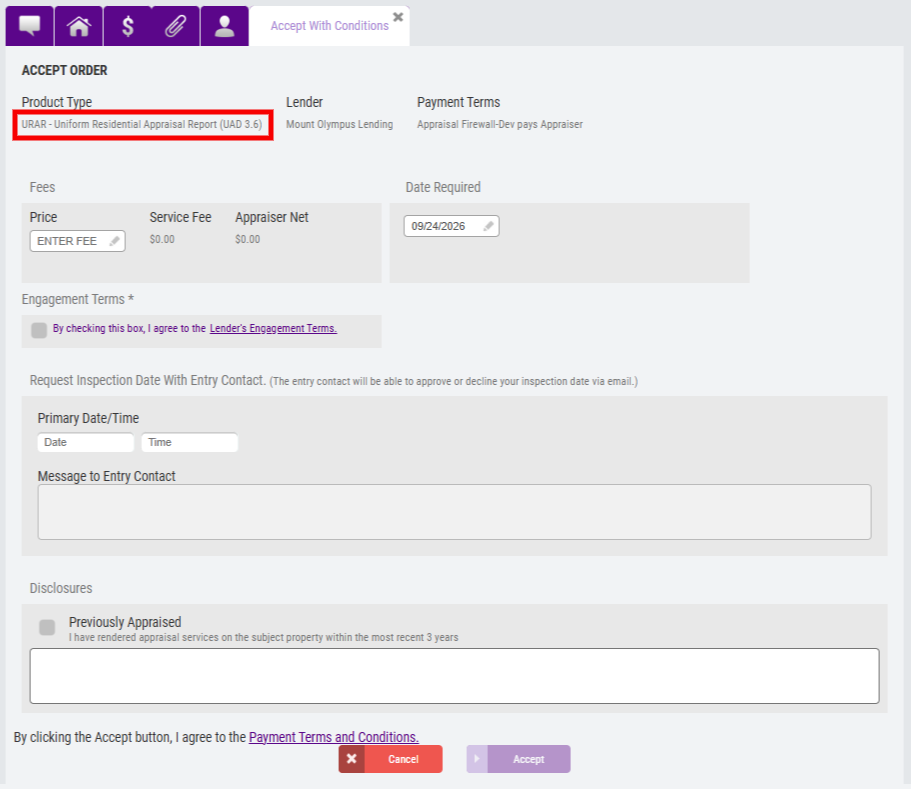
Choose Accept or Accept with Conditions (if available) to move forward with accepting the UAD 3.6 order request. The acceptance screen will look the same as the current UAD 2.6 version, outside of the Product Type name being updated. For guidance on the current UAD 2.6 acceptance process, refer to the Accepting an Order guide.
 Fill in the appropriate fields and select Accept once completed.
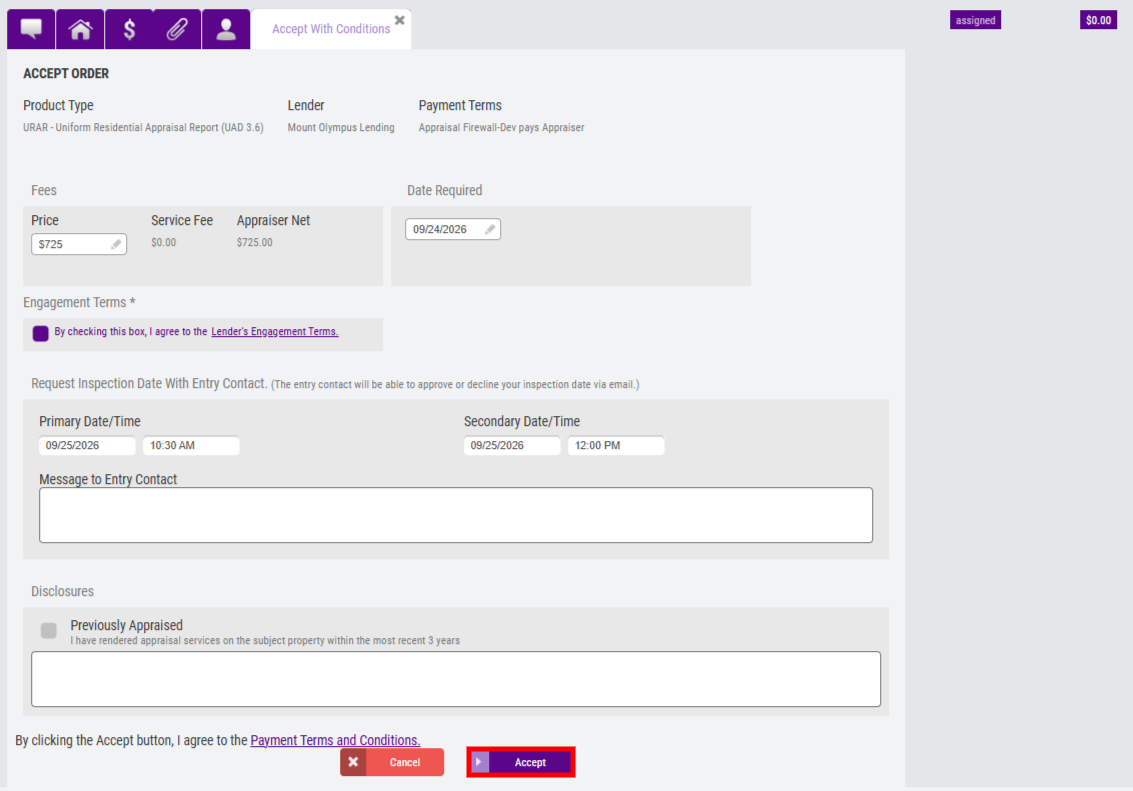
Appraisers will be directed to the Communications Log upon successful acceptance. For information on how to deliver reports on UAD 3.6 orders, refer to the Delivering ZIP Files for UAD 3.6 guide.