
Appraisers can easily create Fixed Pricing for UAD 3.6 form types within Appraisal Firewall, via Coverage settings. Entering pricing is particularly helpful when lenders are reviewing established fees to adjust their pricing sheets and when managing their appraiser panels. This process follows the same logic of creating fixed pricing for the legacy UAD 2.6 form types and addendums. Check out our Create Fixed Pricing guide for more information.
From Settings, expand the Coverage section. NOTE: if you perform Residential and Commercial appraisals, the Coverage section will reflect Residential Coverage and Commercial Coverage. For appraisers that only perform Residential appraisals, Coverage will be displayed. 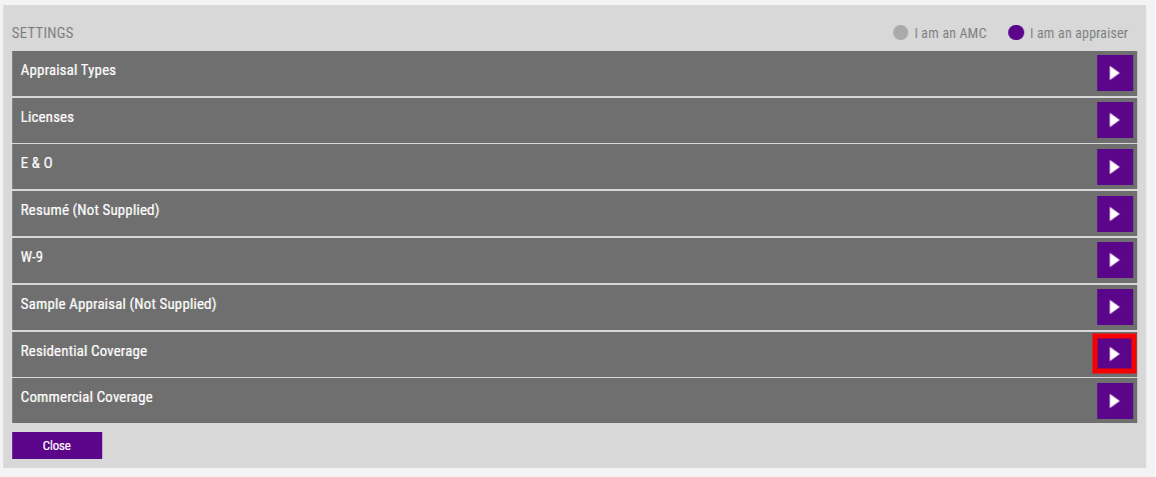
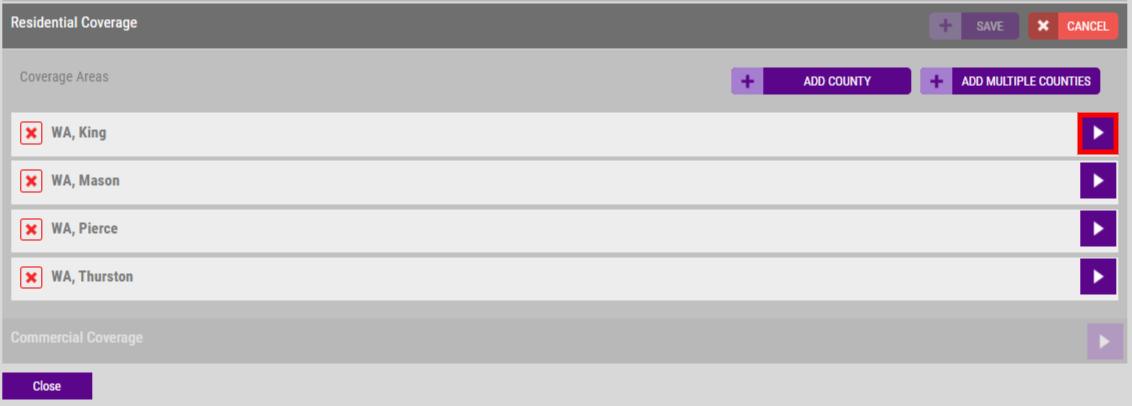
Expand one of your displayed coverages, whether that be the State, County, or Zip Code coverage area.
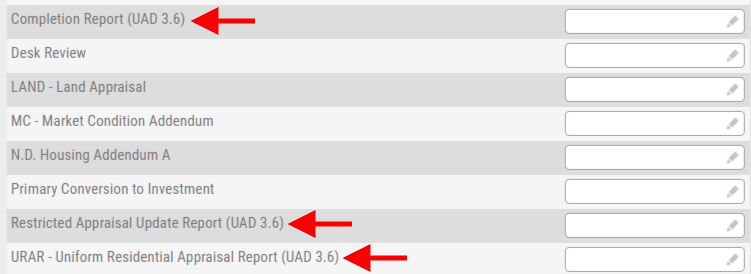
The updated UAD 3.6 form types that are available for fixed pricing are:
- URAR - Uniform Residential Appraisal Report (UAD 3.6): This is the new base level, typical appraisal report.
- Restricted Appraisal Update Report (UAD 3.6): Similar to the legacy 1004D form, this form incorporates the original appraisal by reference - requiring appraisers to indicate if the value of the subject property has decreased since the effective date of the original appraisal. The appraiser who conducted the original appraisal report will continue to automatically be assigned the Restricted Appraisal Update Report request. Appraisers must continue to inspect the subject property's exterior on updates, plus include the property's front exterior photo. This form offers greater clarity around significant assistance, identifying counterparties (i.e., AMCs), and disclosing prior services.
- Completion Report (UAD 3.6): Relative to the legacy 1004D, this form has been updated to include three new sections: Itemized List of Repairs, New Observed Items for Repair, and Completion Status for Appraisals Subject to Completion per Plans. The appraiser who conducted the original appraisal report will continue to automatically be assigned the Completion Report request. Additionally, the Completion Report permits virtual inspections.
Enter your fee for the form types in the editable field on the right.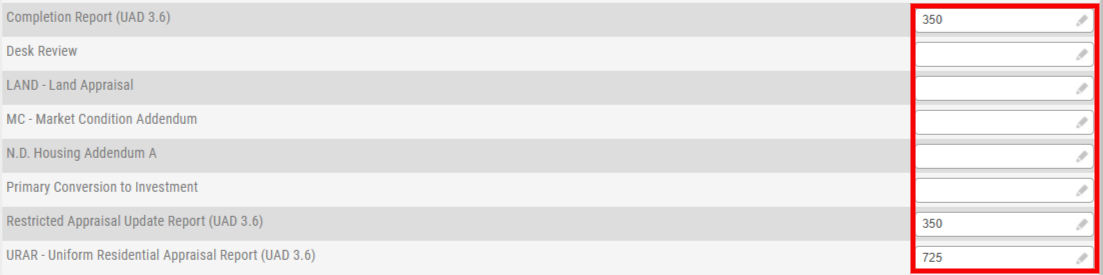
Once you have entered fees, select the SAVE button. Should you click CANCEL, this will clear out your pricing and take you back to your listed coverage.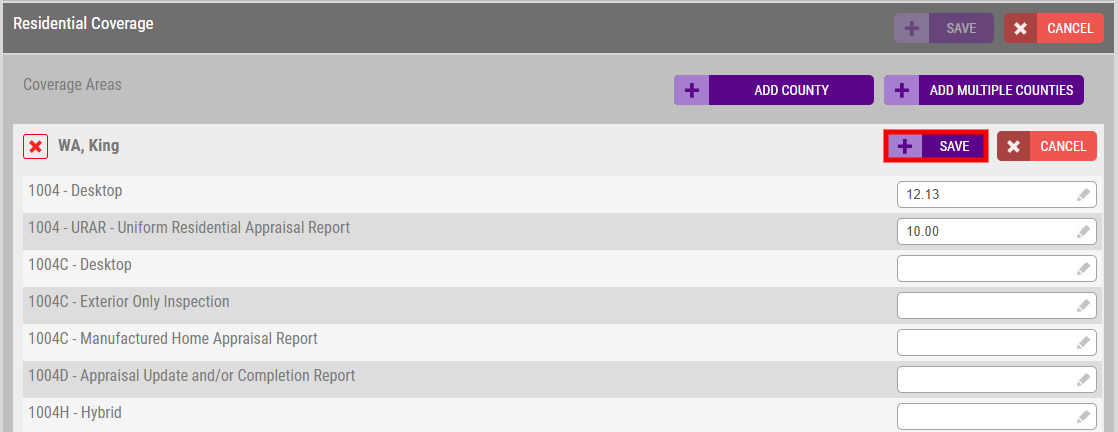
Once the values have been saved, the next time a lender requests the new UAD 3.6 forms without their own fixed pricing entered, appraisers will see their own fees populated in the fee field during the acceptance process.